Author: Richard Hay

Observed Tech PODCAST Episode 275 #OTP

We kick this weeks show off with a lot of Windows Insider news. Three new builds were made available for testers in the Fast Ring (Build 17723), Slow Ring (Build 17713.1002) and Skip Ahead received its first offering (Build 18204). There were also several new previews made available for Office Server 2019 elements like Skype, Exchange and SharePoint. Next up it is Surface including my own quick visit ith Surface Go at my local Best Buy. Then we talk about Outlook.com coming out of beta including its new Dark Mode, the continued growth of the April 2018 Update on Windows 10 devices, targeted installs from the Microsoft Store on Windows 10 and the possibility of Devices as a Service (DaaS) from Microsoft in the future. Of course, we have tons of other tidbits scattered throughout the show so make sure you stay tuned in all the way until the end to catch everything.

Read More
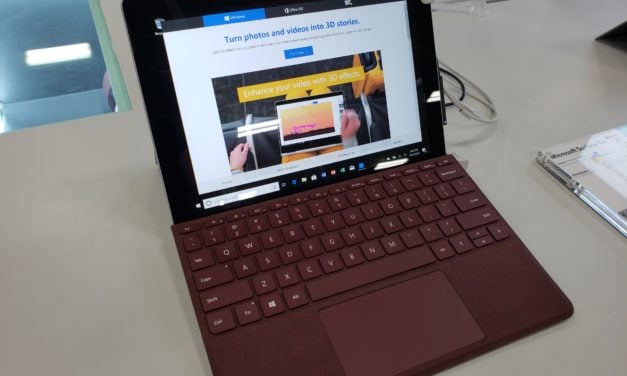
Surface Go – A Mini Hands On

Five minutes is not very long for a complete evaluation of a new piece of hardware, but it was all the time I had to spend with the new Surface Go in my local Best Buy. One thing for sure is I walked away wanting more time with this smallest member of the Surface hardware family.

Read More

Best Buy Photography Workshops This Weekend Across the US

Want to learn more about photography? This weekend, on Saturday 28 July, Best Buy will host professional photography workshops at several locations across the United States. These new on location workshops will be held in Seattle, San Diego, Houston, Atlanta, Tampa, New York City and Minneapolis and are half day events. These are taught and led by professional photographers and Camera Experience Shop employees.

Read More

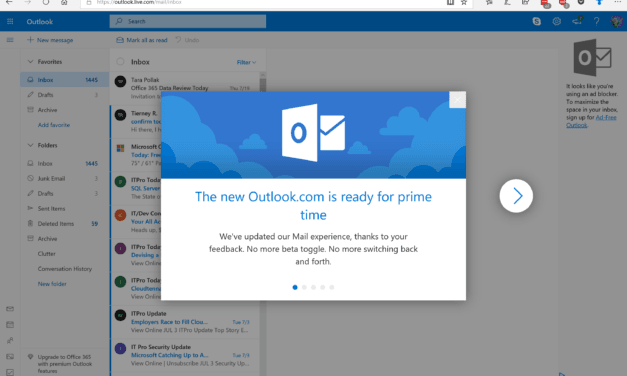
The Outlook.com Beta is Ending as Final Redesign Begins Rolling Out

After a beta period that has lasted nearly a year, Microsoft appears to be closing out the Outlook.com beta. Among some of the areas they have worked on for this update are better search, a new photos tab for images in your emails and a Dark Mode/Theme. Check out the screenshots to see how the new Dark Mode looks and the update intro screens that explain some of the updates to the new interface.

Read More