

Update: The newest version of this suite, Microsoft Office 2013, now has their free trial version available. Read more at http://www.windowsobserver.com/2012/11/16/microsoft-office-2013-free-download/
One of the most popular posts on this site is from May 2010 that provided information on how to download the 60 day trial version of Microsoft’s Office 2010 software suite. That article and the link to register for the download takes you to the TechNet Evaluation Center.
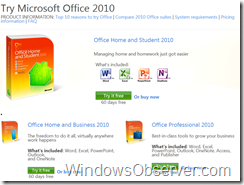
Although that page still works there is an alternative to download the 60 day trial version so you can check out the Office 2010 programs. If you head over to http://office.microsoft.com/en-us/try/ you will find three suites to try out.

The three different suites available for trial use are:
You will need to sign in with a Windows Live ID and provide your email address, first and last name, and verify your region to access the download page. The download page provides the link to the downloader and your trial product keys. Once you have signed up for the trials using this method your trial downloads will always be available in your My Account page at the Microsoft Store. You will also receive an email from the Microsoft store with the information in it and links to the downloads. Both of those things help out a lot if you need to download the trial before it expires for some reason.

