
Get Four or Five Rows of Tiles on Your Surface Pro Start Screen

Yesterday I shared a tweak that allows you to get four rows of Start Screen tiles on the Surface RT and in the course of testing that registry setting it was discovered that it would not work on Surface Pro devices.

Well thanks to the continued testing of my friend @FreddyFuentes he has figured out how to get you either four or five rows of Start Screen tiles for your Surface Pro Start Screen.  So now all of you new Surface Pro owners can enjoy this tweak as well.

Now this is an easy tweak to insert because we have prepared the registry files for you but to reverse this would require that you manually edit the registry so make sure you are comfortable with that before you make the change.

Of course, I also recommend setting a Restore Point on your system to make reverting back easier if it is necessary.

As a reminder, just like the Surface RT tweak for this, your on screen keyboard will be slightly smaller but it is not at all unusable in comparison to the full size one.
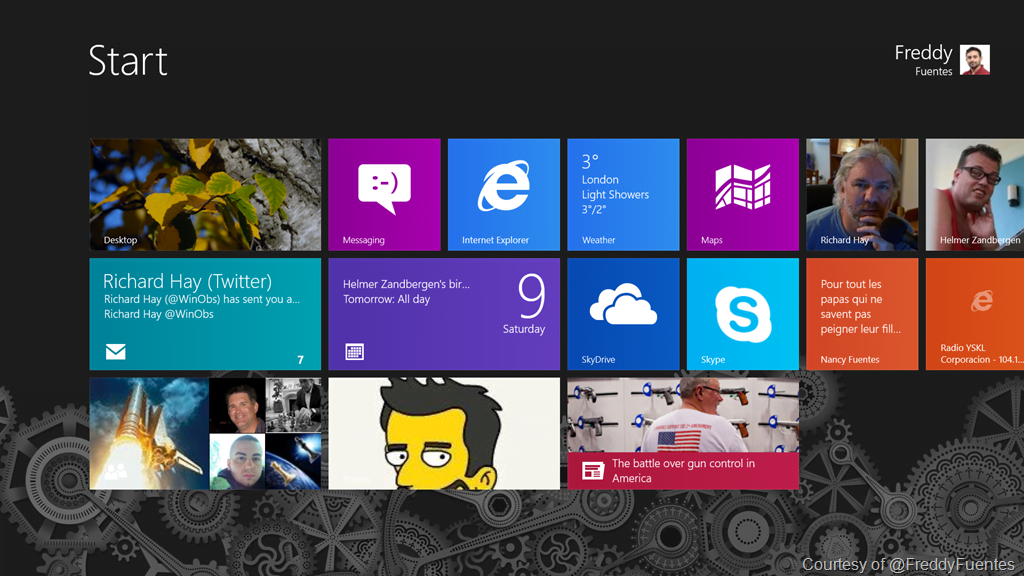
Screenshot (1)

Surface Pro with default three rows of Start Screen tiles

Screenshot (8)

Surface Pro with four rows of Start Screen tiles
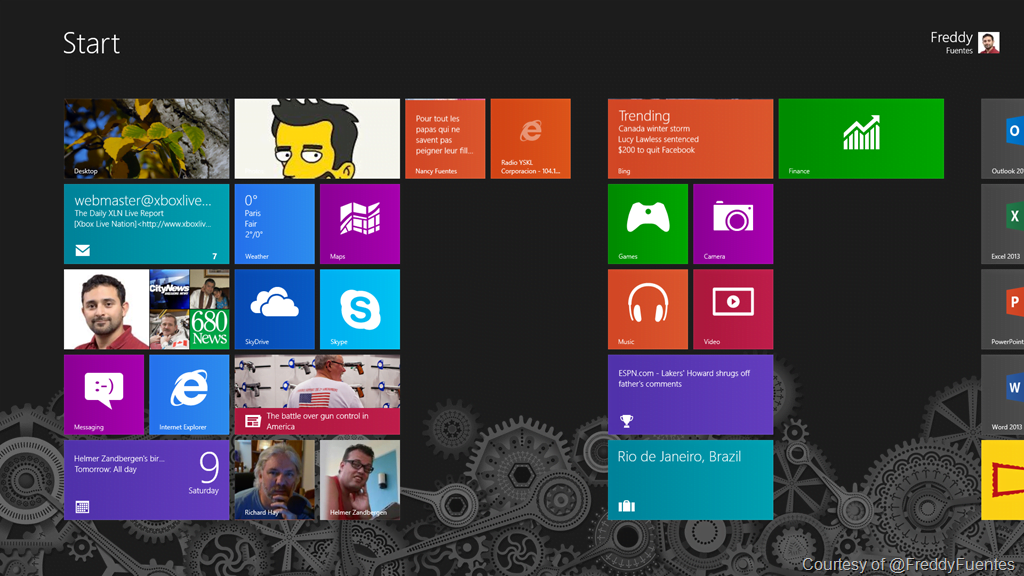
Screenshot (4)

Surface Pro with five rows of Start Screen tiles

Just like with the Surface RT tweak you can do this two different ways – create your own registry file by opening notepad and inserting the text shown below and then save the file with a recognizable name and the .reg file extension.  After that just click the file to merge it into your registry and then reboot for it to take effect.

Here is what you will need in those files:

Four Rows of Start Screen Tiles for Surface Pro (Just insert the text that is between the lines)

—–

Windows Registry Editor Version 5.00

[HKEY_CURRENT_USERSoftwareMicrosoftWindowsCurrentVersionImmersiveShellGrid]
“Layout_MaximumRowCount”=dword:00000004

[HKEY_LOCAL_MACHINESOFTWAREMicrosoftWindowsCurrentVersionExplorerScaling]
“MonitorSize”=”13.1″

—–

Five Rows of Start Screen Tiles for Surface Pro (Just insert the text that is between the lines)

—–

Windows Registry Editor Version 5.00

[HKEY_LOCAL_MACHINESOFTWAREMicrosoftWindowsCurrentVersionExplorerScaling]
“MonitorSize”=”13.1″

—–

If you want to save the step of creating your own registry files then you can download our ready made files here:

Thanks to the WinSource and XDA Forums folks for the head start on this tweak which they figured out for the Surface RT. It helped us out a lot in getting this one sorted out.

Let us know how this works for you.

This post first appeared on WindowsObserver.com. If you enjoyed it please make sure you subscribe to the RSS feed and join our Facebook Fan Page to stay up to date.

Pin It

Print This Post Print This Post

  • simpl3lang

    Hi. How do i revert back to default. I read you just need to delete it. How do i do that?

    • http://www.windowsobserver.com/ Richard Hay

      You need to remove the entries that were inserted into the registry. Have you ever edited your registry before?

  • http://twitter.com/JPSavard Jean-Philippe Savard

    How about 6 rows of tiles? On my main computer I have a 1920×1080 display with 6 rows.

    • http://www.windowsobserver.com/ Richard Hay

      That is what I have on my main computer as well. I do not think that is possible on Surface Pro as the default is five.

      • http://twitter.com/JPSavard Jean-Philippe Savard

        Oh well, 5 rows is still better than a slap in the face with a large trout.
        Thanks guys! ;)

    • http://twitter.com/FreddyFuentes Freddy Fuentes

      hi there, I’m playing with the MonitorSize registry entry and I am able to get 6 rows, not sure what the “magic” number is for this but, setting this value to 24.1 gets me 6 rows, of course at 24.1 the keyboard is small

      • http://www.windowsobserver.com/ Richard Hay

        Yeah I think the larger you go the smaller the keyboard gets so there is a point of balance somewhere along the way. Personally I am very pleased with four rows on my RT!

  • http://twitter.com/FreddyFuentes Freddy Fuentes

    Please note that I have tested this tweek with a Samsung Ativ Smart PC Pro tablet and the behaviour is the same. Also a warning … adding the first part of the tweek “Layout_MaximumRowCount” will limit the number of rows in Portrait mode as well!

  • http://jgstechthoughts.wordpress.com/ Joshua Grzybowski

    I think there will be a downside to including the first part of each registry edit. (The one where you change the maximum row count) If you change that value to 5, when you rotate the screen to portrait, you will only get 5 rows when there is plenty of room for more. (I get 9 on my Surface RT)

    • http://www.windowsobserver.com/ Richard Hay

      Joshua – I will ask Freddy to test portrait mode because the option to change to nine only shows up when the device is in portrait mode.

      Freddy discovered that to get the 4 or 5 rows that entry had to be included though so it may just be a trade off.

    • http://twitter.com/FreddyFuentes Freddy Fuentes

      Unfortunately if you must have 4 rows you will have to use the “Layout_MaximumRowCount” value. And yes this will limit the number of rows in portrait mode. Since the default value of the second part of the tweek will result in 5 rows anyway (landscape), we have removed it from the reg file this way you won’t have to worry how it functions in portrait mode

      • http://jgstechthoughts.wordpress.com/ Joshua Grzybowski

        That’s interesting. I wonder why this is different from Windows RT. What happens if you set that value to 9?

        • http://twitter.com/FreddyFuentes Freddy Fuentes

          setting the limit to 9 will give you 5 in landscape and 9 in portrait (looks like the max in portrait is 10 @ a monitor size of 13.1), I believe the screen resolutions come into play since the Pro has a higher resolution screen it requires a “larger” screen size to get more rows … in RT you can set the MonitorSize value to 12.1 to get the 4th row of tiles, that will not work on the pro, which has to be set to at least 13.1 to get more tile rows